
Part of Attendance management system
Shift management
Shift management that keeps night shifts on the right day
Create shifts, assign them by day, and let weekly offs follow your own pattern, such as every 2nd and 4th Saturday.
Free trial. No credit card.
Why it matters
A shift is where every other rule starts.
Night staff
My Monday night is Monday's.
A shift that ends after midnight belongs to the day it started, not the day it finished.
Supervisors
Rosters in one grid.
Assign a shift to each person for each day on a single weekly screen.
HR
Late, overtime and week off follow the shift.
Each day is judged against the person's own shift. See time and attendance software.
Shifts
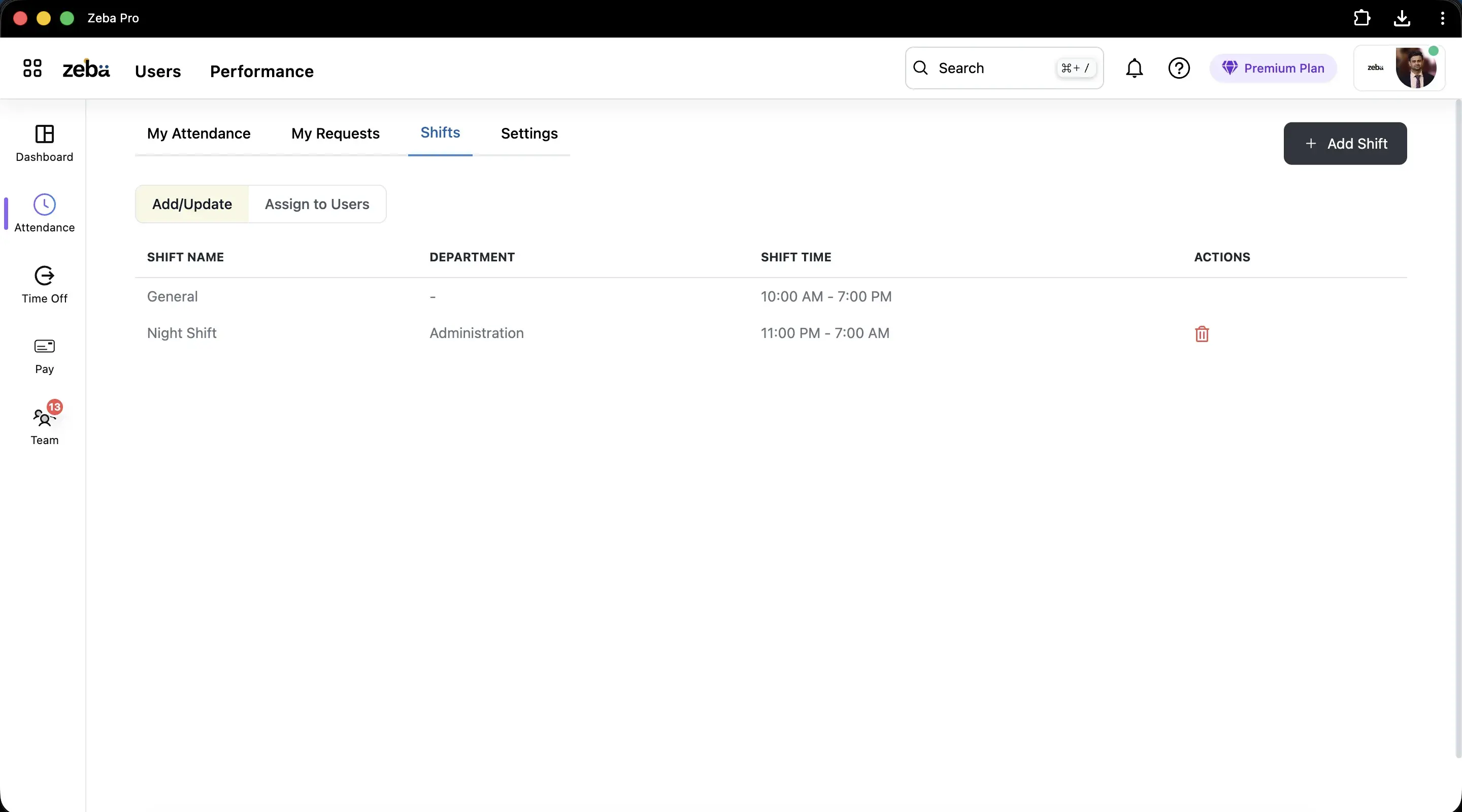
Day and night shifts, side by side.
Name, department, hours
A shift can be general, or kept for one department, such as a night shift for Administration.
Hours across midnight
A shift from 11:00 PM to 7:00 AM is eight hours, counted across the date change.
Boundary buffers (optional)
Allow check-in a set number of minutes before the shift starts and check-out after it ends, or leave the window open.
Rosters
Assign a shift to every person, every day.
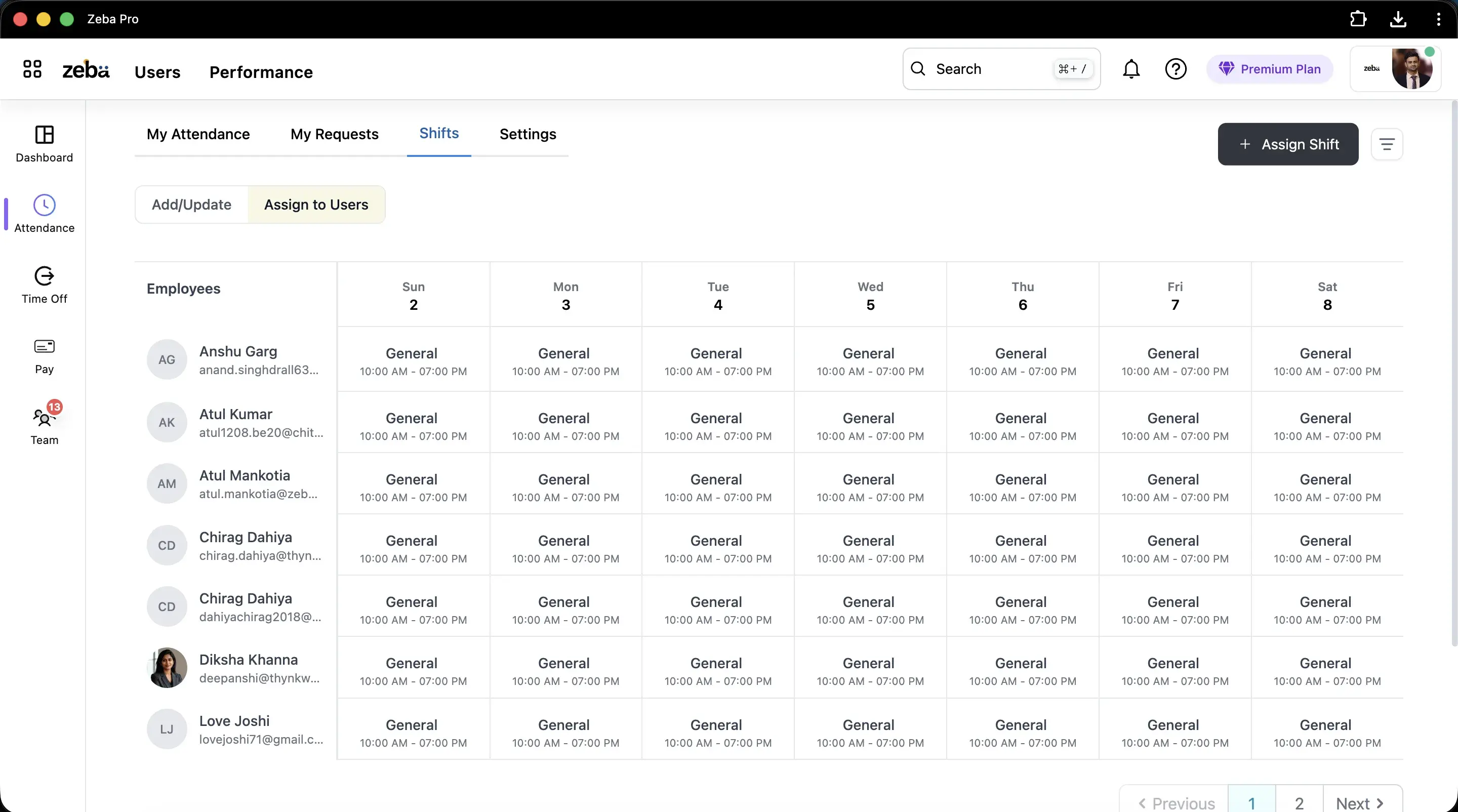
One weekly grid
People down the side, days across the top, a shift in every cell.
Change one day
Move a person to another shift for a single day without touching the rest of the week.
Mid-shift check-in
Choose whether someone who arrives after the shift has begun can still check in.
Try it
Plan a month of weekly offs.
Tick the Saturdays that are off. Zeba counts the week from the date, so week 2 is days 8 to 14.
24 working days in January 2027
31 days, minus 5 Sundays and 2 Saturdays off (9 Jan, 23 Jan). Holidays and leave come off this separately.
Zeba counts the week of the month from the date: days 1 to 7 are week 1, days 8 to 14 are week 2, and so on.
Night shifts
Which day does a punch belong to?
Night Shift, 11:00 PM to 7:00 AM.
| Punch | Belongs to | Why |
|---|---|---|
| Monday 11:05 PM, check-in | Monday's shift | The shift started on Monday. |
| Tuesday 6:50 AM, check-out | Monday's shift | It is still the shift that began on Monday. |
| Tuesday 11:00 PM, check-in | Tuesday's shift | A new shift has started. |
Half days off are supported too: a weekly off can be the first half or the second half of the day.
Got questions?
Frequently Asked Questions
Clear answers on setup, payroll, attendance, and everyday HR with Zeba.
- It lets you define shifts, assign them to people by day, and judge attendance, late marks and overtime against each person's own shift instead of one company-wide time.
- A shift that runs past midnight belongs to the day it started. A check-out at 6:50 AM on Tuesday still counts for Monday's night shift.
- Yes. A weekly off can be set for a specific week of the month, so 2nd and 4th Saturday off is possible. Week 2 is days 8 to 14 and week 4 is days 22 to 28.
- Yes. A shift can be made available to a department, so a night shift for one team does not appear for everyone.
- Yes. Assign each person a shift for each day on the weekly grid, and change a single day when the roster changes.
Ready when you are
Put every shift on one grid
Book a demo and we will set up your shifts and weekly offs.