
Manager
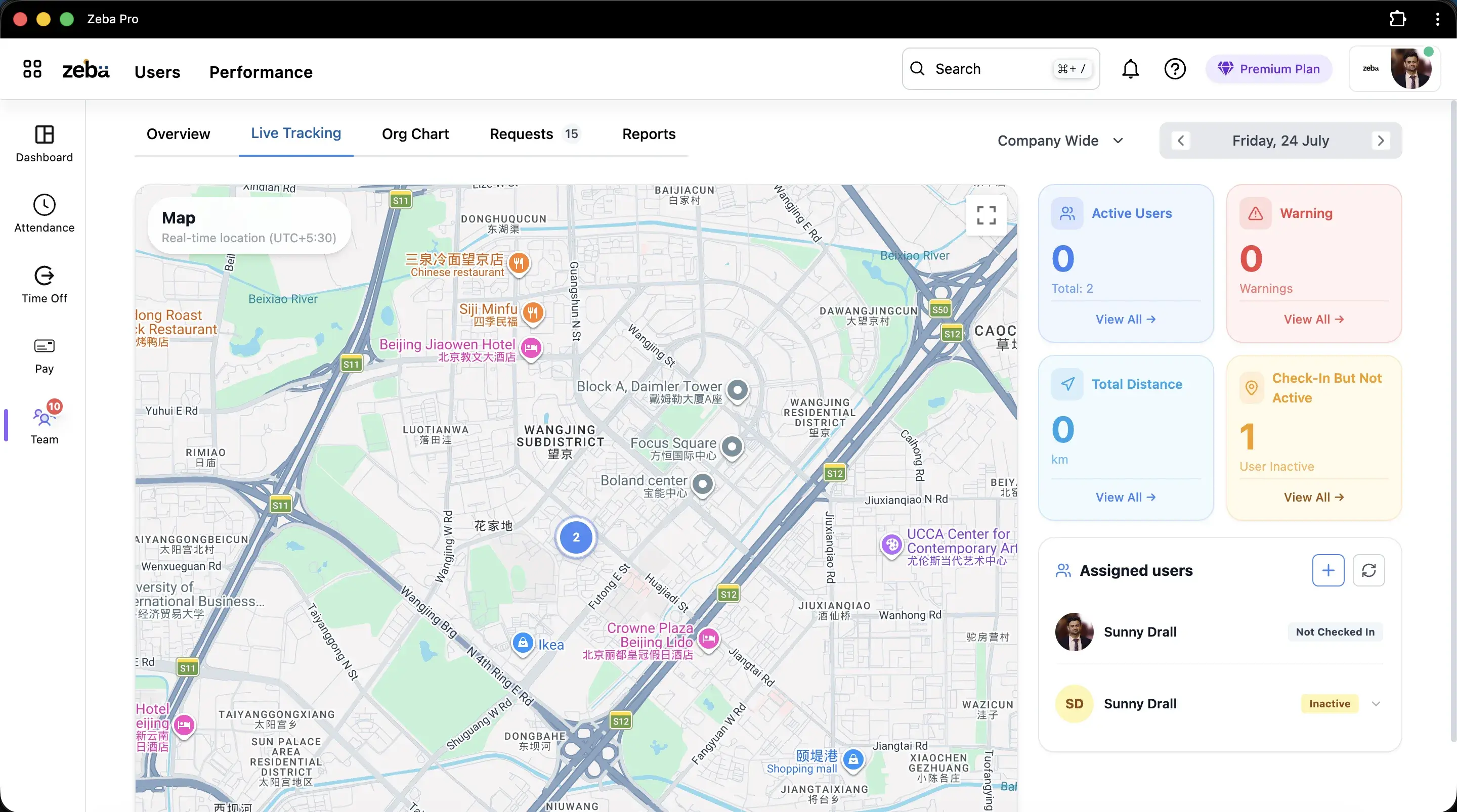
Where is everyone right now?
One map and four counts replace a round of phone calls.
Part of Attendance management system
Live location tracking
A manager's map of who is working, who has gone quiet and how far everyone has travelled. It runs only while a person is checked in.
Free trial. No credit card.
Why teams use it
Manager
One map and four counts replace a round of phone calls.
Employee
Tracking starts at check-in and stops at check-out. See the employee GPS tracking app.
Owner
The day keeps the route, the distance and the stops.
The dashboard
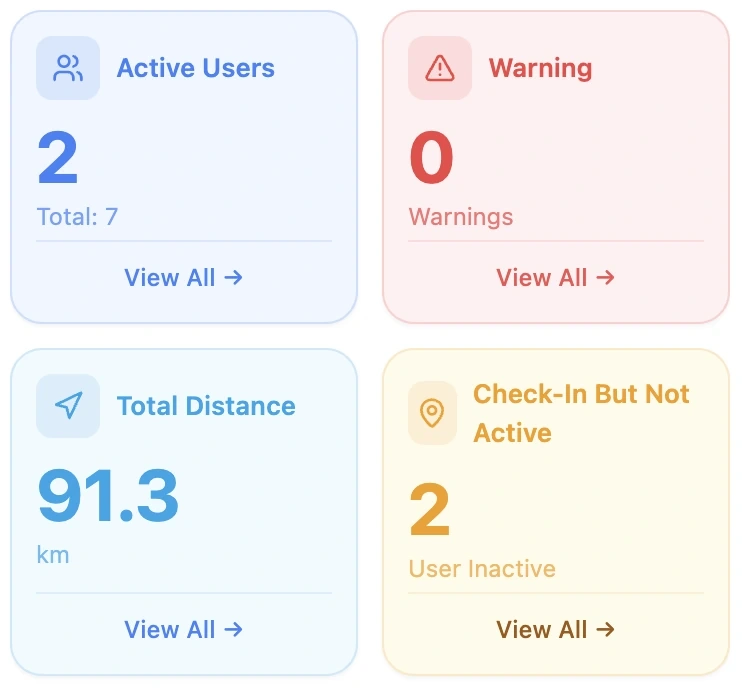
People checked in and sending their location.
People whose phone battery is low while checked in.
Kilometres travelled by the people on the map.
Checked in, but no location has arrived for a while. See track field employees live.
Setup
Live location is a setting in an attendance policy. It needs the mobile app on for check-in.
Apply the policy to departments or to named people, so desk roles are left alone.
Managers see assigned people on the live map, and can refresh it as the day goes on.
Where next
If you are asking about / Read
What an employee sees and when it is on
Visits to marked places and the day's route
What the statuses mean and what to do
Proof of dealer and client visits
Kilometres and travel claims
Got questions?
Clear answers on setup, payroll, attendance, and everyday HR with Zeba.
Ready when you are
Book a demo and we will set up live location for one team.