
Part of Attendance management system
GPS attendance app with geofencing
GPS attendance app that only counts punches made on site
Draw a boundary around your site. Choose who it applies to. See where every punch happened.
Free trial. No credit card.
Try it
Will this punch count?
Move the phone and see what happens.
Geofence required. Remote not allowed.
Punch accepted. Within Head Office geofence.
Punch counted as an office day.
An illustration of the rules Zeba applies at check-in.
How it works
Three steps. No machine at the gate.
Step 1
Draw a fence
Pick the spot on a map, set the radius, give it a name.
Step 2
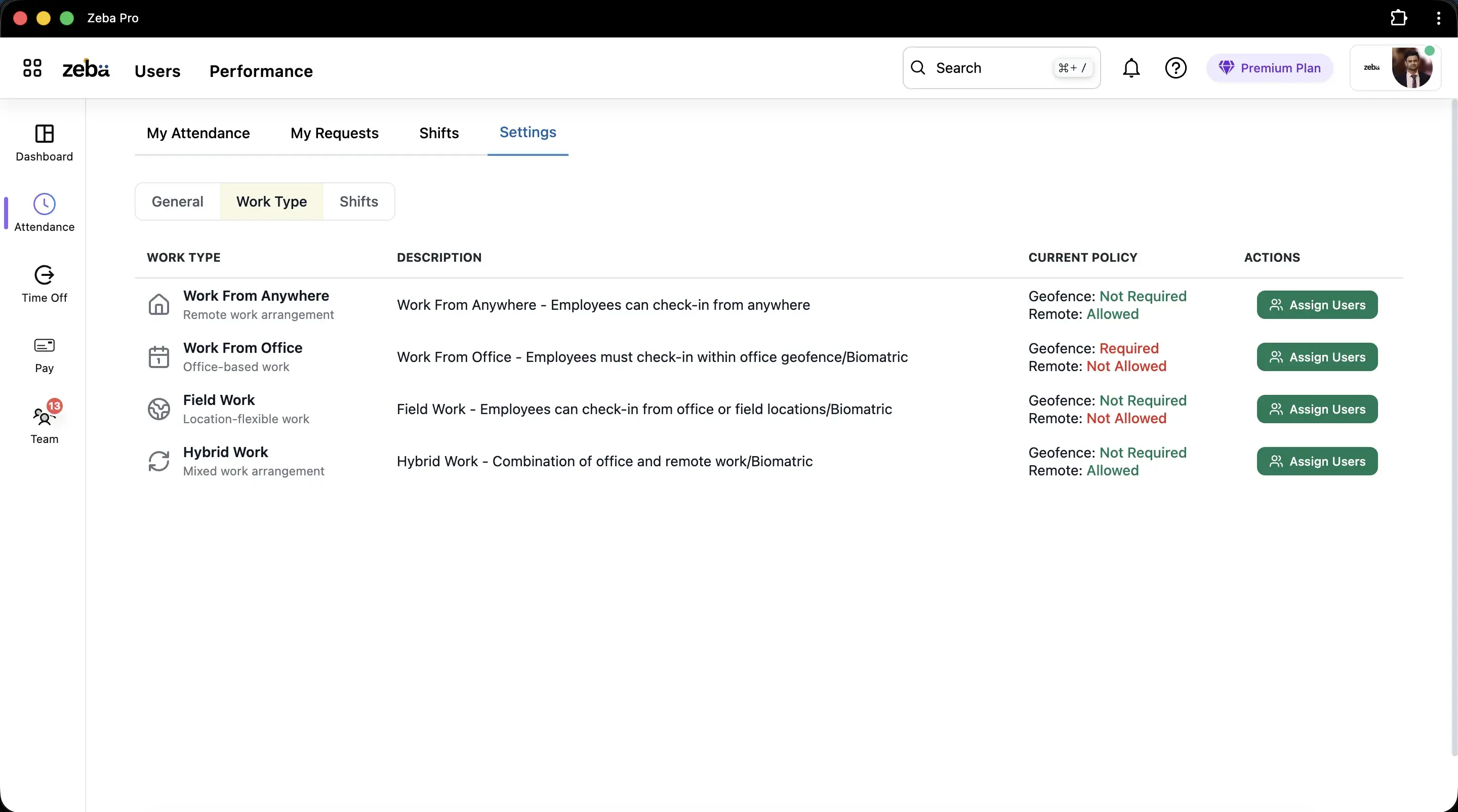
Choose who it applies to
Require it for office staff. Leave hybrid and field roles open.
Step 3
See every punch
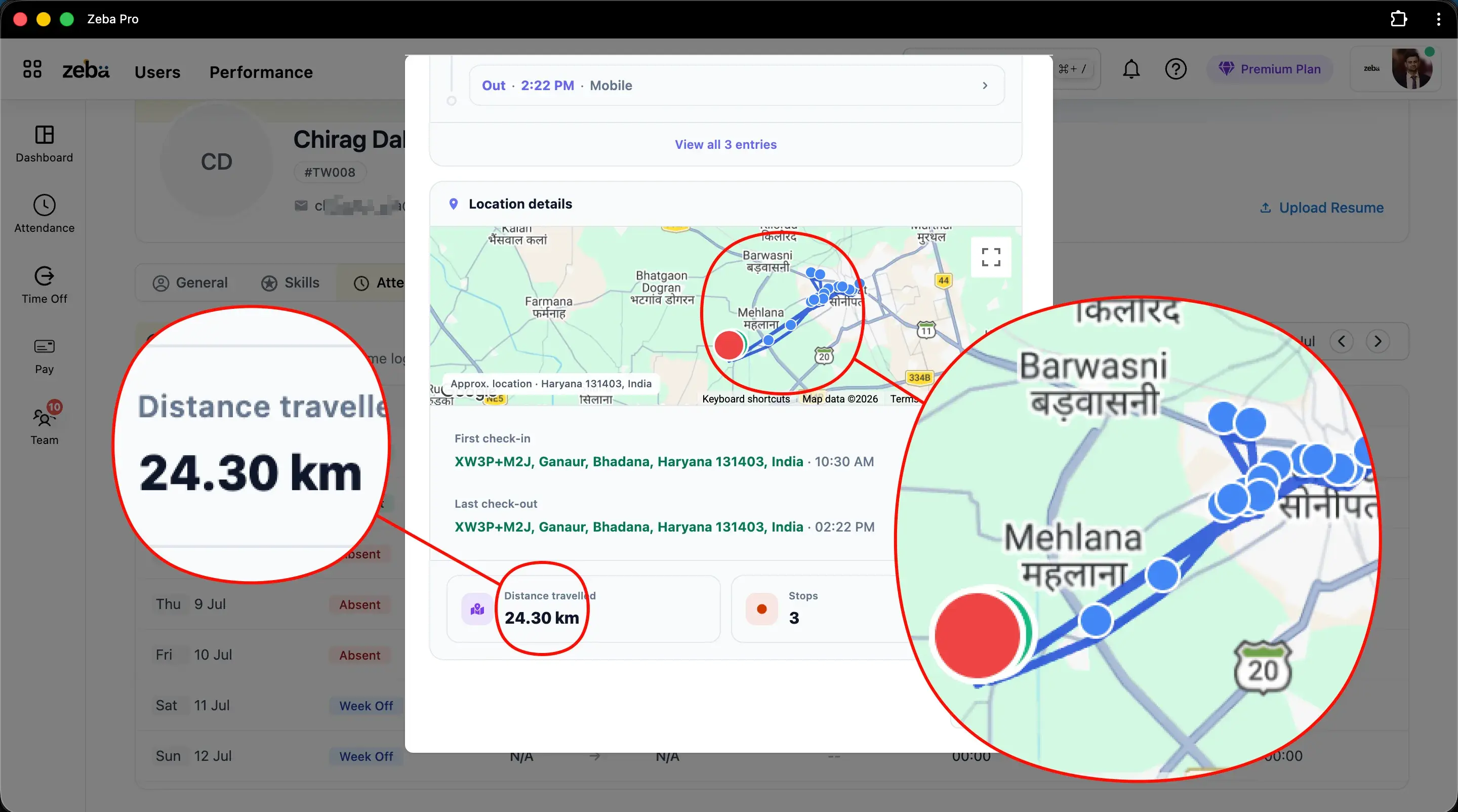
Open a day to see where it happened, how far, and the stops.
Why it matters
Fair to the honest. Clear to everyone.
Employees
Be on time. Be counted.
A punch that fails becomes a correction request, not an argument. See attendance regularization.
Managers
Stop chasing proof.
Every day shows a place and a time, so there is nothing to ask.
Owners
Pay for days you can verify.
The same record feeds payroll.
Good to know
What it cannot do.
So you can set it up with open eyes.
It trusts the phone's location.
For roles that need more, also require a live selfie. It is a camera photo, not face matching.
It needs signal and location access.
Check-in does not work offline. Mention it in your rollout message.
It checks presence, not movement.
For people on the road, use live location. See geofencing vs live GPS.
Got questions?
Frequently Asked Questions
Clear answers on setup, payroll, attendance, and everyday HR with Zeba.
- It records a check-in and check-out from an employee's phone together with where the phone was. With a geofence, the punch only counts inside a boundary you draw around the office, plant or site.
- Phone location can drift, especially indoors. Ask your admin to widen the boundary. If a punch still fails, raise a correction request and your manager can approve the day.
- Start near the 100 m default and test from the farthest corner. In Zeba the radius can be 10 m to 10,000 m. For a large campus, use several smaller fences instead of one huge circle.
- No. A geofence is checked when someone punches in. Live location is a separate setting that applies only to the work types that need it, during working hours.
- Yes. Work types decide the rule. Office staff can be required to punch inside a fence, while field roles use live location. It is one system with different rules by role.
Ready when you are
Put a boundary around your site
Book a demo and see it on your own sites and roles.