
Part of Attendance management system
Staff attendance app
Staff attendance app to replace the register
Still ticking names in a notebook? Staff punch on their own phones, and you see who came and who was late.
Free trial. No credit card.
The register
From the notebook to the phone.
Before
Ticked at 10, fixed at 6.
Names written in the morning, corrected in the evening and totalled by hand at month end.
After
Staff punch themselves.
Late shows up as late, without a conversation across the counter.
Month end
The total is already there.
Present, absent and week off are counted as the days happen.
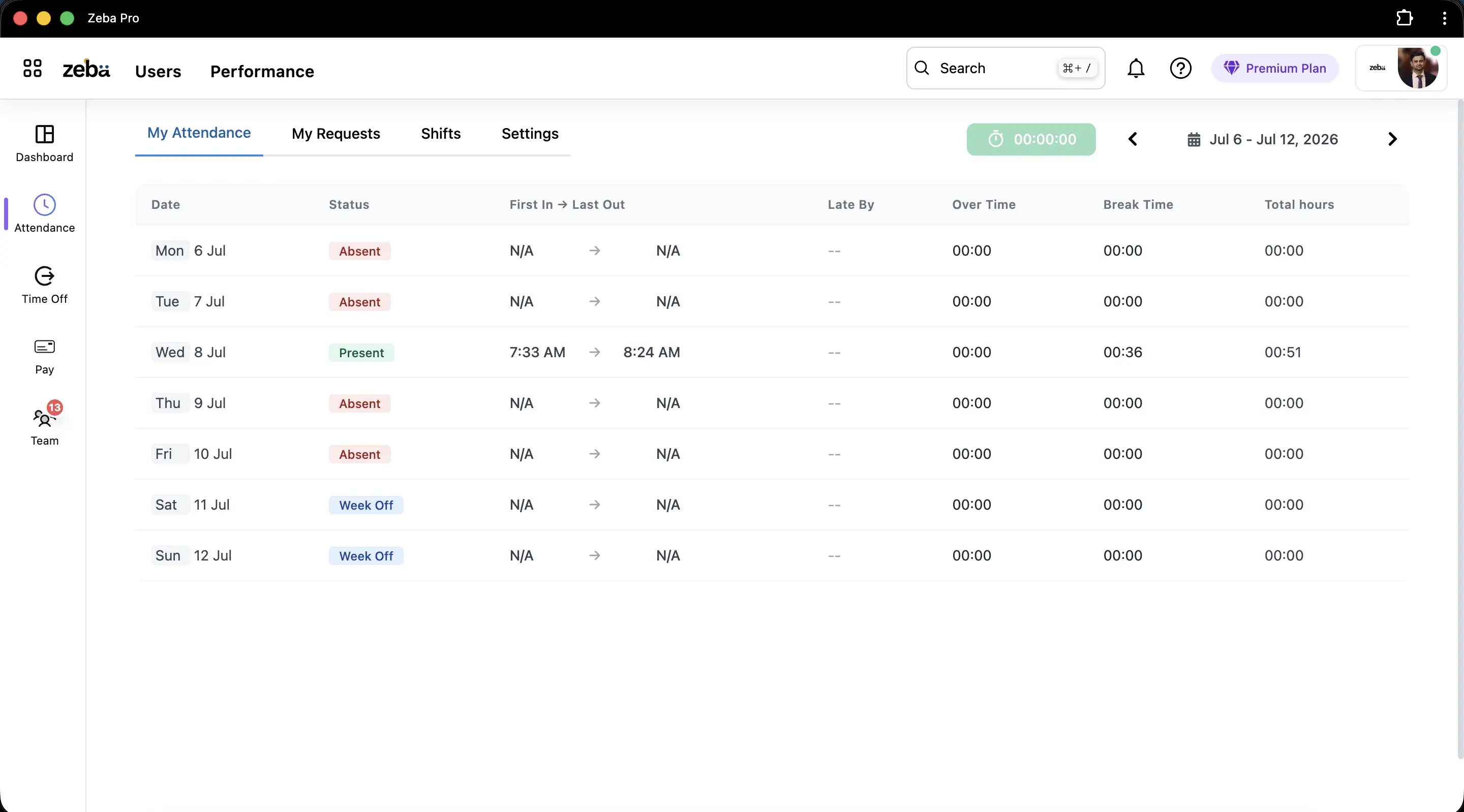
The week
A week you can read in ten seconds.
One row per day
Status, first in, last out and hours.
Late and overtime in the row
No separate sheet for who came late.
Week Off marked for you
Sundays are not counted as absences.
Starting
Three steps, no training day.
Step 1
Add your people
Add each staff member and the person they report to.
Step 2
Set the shift
Choose the start time and a grace period so a few minutes is not a late mark.
Step 3
Ask staff to punch
From the mobile attendance app. If someone forgets, they raise a request and you approve it.
Who it suits
Built for teams of 5 to 500.
Shops and clinics
Staff on set hours, and an owner who wants to stop chasing.
Workshops and small plants
Shifts and week offs without a register per shift. See shift management.
Small offices
A few remote people on the same app, with rules by work type.
Got questions?
Frequently Asked Questions
Clear answers on setup, payroll, attendance, and everyday HR with Zeba.
- Yes. Zeba is built for teams of 5 to 500 people, and you can start with a free trial. See pricing.
- An authorised admin can enter attendance for them, and a biometric device at the entrance is another option. See biometric attendance software.
- They raise a request with the date, times and a reason, and you approve or reject it. The decision stays on record.
- Yes. Zeba has attendance reports you can download, which is useful where a state rule asks for an attendance register. Check with your adviser what applies in your state.
- Yes. Create shifts, assign them to people, and each day is judged against the person's own shift.
Ready when you are
Close the notebook
Book a demo and set up your first week of staff.