
Part of Attendance management system
Employee attendance software
Employee attendance software for the manager's morning
Know who is in, who is late and what needs your approval, without chasing anyone.
Free trial. No credit card.
Your morning
Three things you check, in this order.
Step 1
Who is in
Open the team view for the day and see present, late, absent and week off.
Step 2
What needs me
One inbox holds attendance, leave, comp off, reimbursement and exit requests.
Step 3
What looks unusual
Late by, overtime and break time sit on each day, so odd days stand out.
The inbox
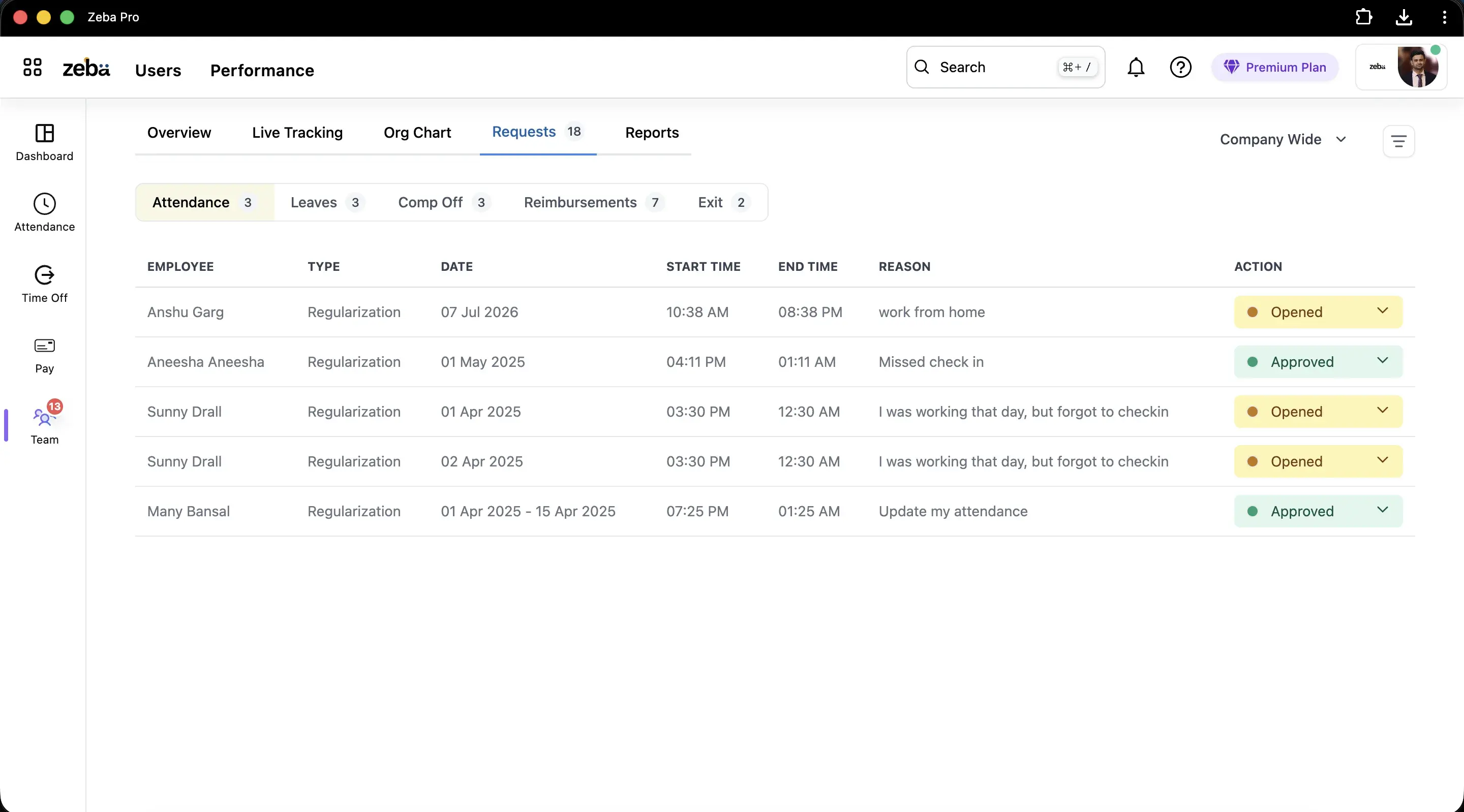
One inbox, not five.
Everything your people ask for waits in the same place, with a count on each tab.
Tabs with counts
Attendance, Leaves, Comp Off, Reimbursements and Exit side by side.
Everything in the row
Employee, date, start and end time and the reason, so you rarely need to ask.
Decide in the row
Approve or reject from the status. The outcome stays with the day. More in attendance regularization.
The day
Open a day and see all of it.
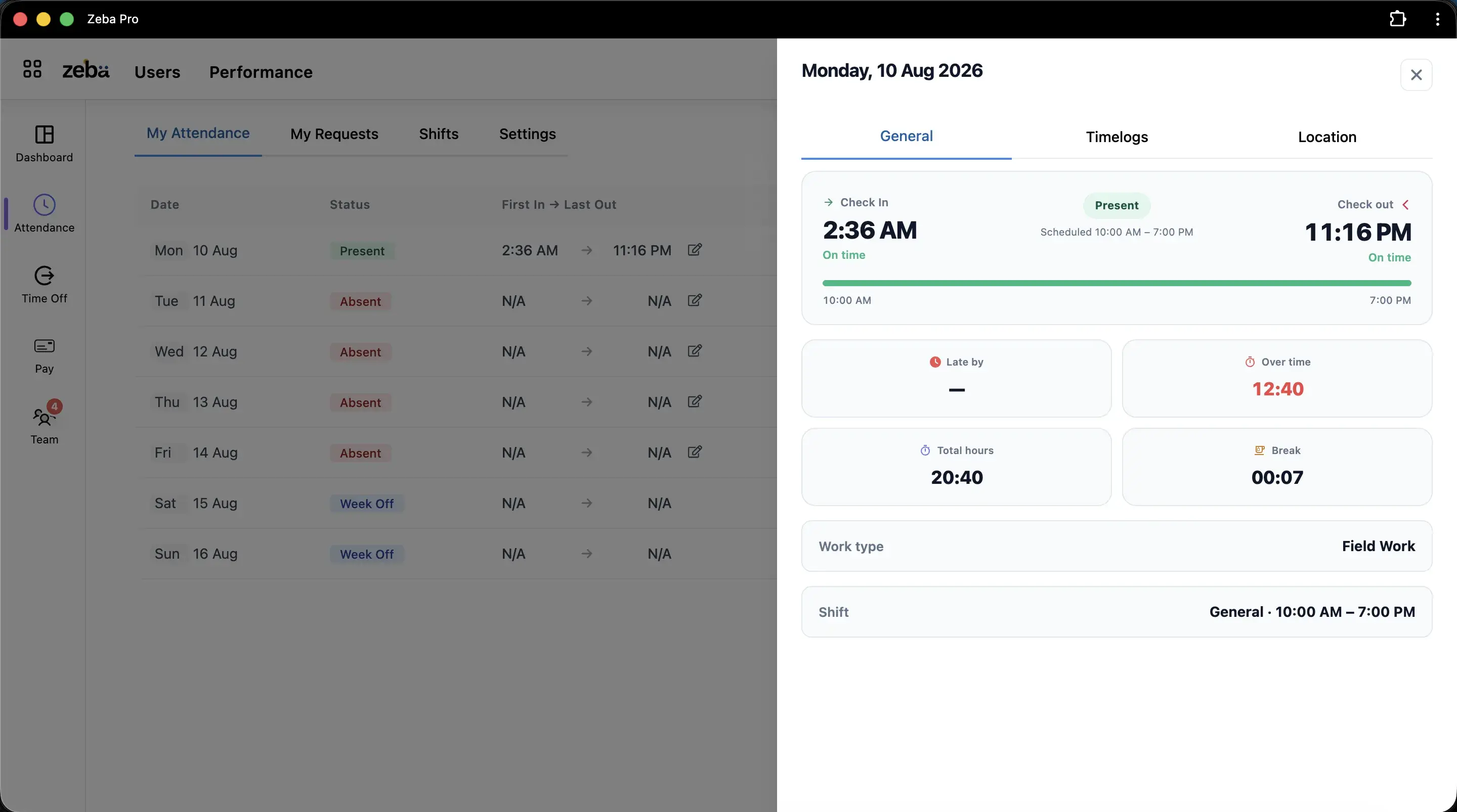
General, Timelogs, Location
Three tabs on every day: the summary, each punch in order and where it happened.
Shift beside the punches
The scheduled hours sit under the actual check-in and check-out, with on time or late marked.
What you stop doing
Less chasing, less guessing.
Calling to ask if someone reached
The day shows the punch and the time.
Rebuilding a sheet for payroll
The same record flows on. See attendance and payroll.
Judging if a correction is genuine
A request carries the reason, and the approval is on record.
Got questions?
Frequently Asked Questions
Clear answers on setup, payroll, attendance, and everyday HR with Zeba.
- Who is present, late or absent today, a queue of requests to approve, and the details of any day: punches, hours, late by and overtime.
- Yes. Requests assigned to a manager appear in their inbox with the date, times and reason, and they can approve or reject each one.
- Yes. Each employee has a My Attendance list by week and a My Requests list for corrections they have raised.
- Yes. The work type on each day tells you whether someone worked from the office, remotely or in the field.
- To the same inbox as attendance requests, on their own tabs. See attendance and leave management.
Ready when you are
Give managers their mornings back
Book a demo and see the inbox with your own team.