
Part of Live location tracking
Track field employees live
Track field employees live and know what to do when one goes quiet
Every person on the map has a status. Here is what each one means, and a routine for the ones that need a call.
Free trial. No credit card.
The statuses
What each status means.
| Status | What it means | What to do |
|---|---|---|
| Active | Checked in, and a location arrived in the last 15 minutes. | Nothing. This is a normal working state. |
| Critical | Checked in, and the phone battery is below 20%. | Ask them to charge it before the signal is lost. |
| Inactive | Checked in, but no location for 15 minutes. | Call. The phone may be off, out of signal or in a bag. |
| Checked Out | Checked out. Tracking has stopped. | Nothing. The route and distance are saved. |
| Not Checked In | Has not checked in today. | Nothing yet. Tracking has not started. |
The 15 minute and 20% limits are how the live map decides, not settings you tune.
A quiet routine
When someone goes quiet.
Step 1
Check the count
Open the Check-in but not active list on the live map.
Step 2
Call first
Most quiet phones are flat batteries or a dead zone. A call settles it.
Step 3
Let the day close
If inactivity auto check-out is on, a person who stays quiet is checked out. A missed day goes through regularization.
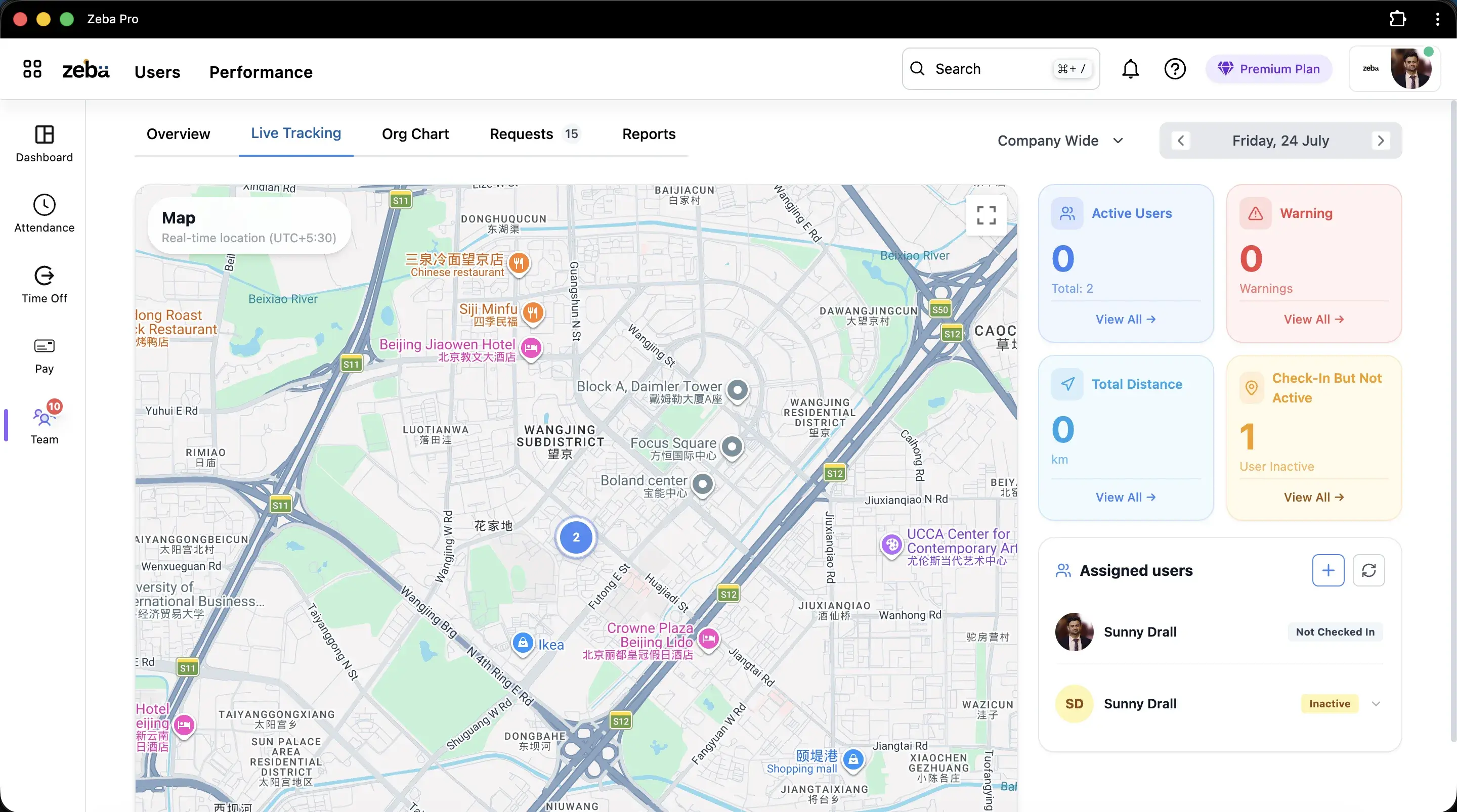
At a glance
Four counts at the top of the map.
Active users and total
How many are reporting out of the people assigned.
Warning
The Critical count, from low batteries.
Check-in but not active
The people to call first.
Good to know
What live tracking cannot see.
Anything outside check-in
Nothing is tracked before check-in or after check-out.
A phone with no signal
A quiet phone looks the same whether it is off or out of coverage.
Why someone stopped
The map shows where, not why. That is a conversation.
Got questions?
Frequently Asked Questions
Clear answers on setup, payroll, attendance, and everyday HR with Zeba.
- Switch on live location in an attendance policy for the field team. Once they check in on the mobile app, they appear on the live map.
- The person is checked in, but no location has arrived for 15 minutes. The phone may be off, out of signal or without battery.
- The person is checked in and their phone battery is below 20%.
- Yes, if you turn on inactivity auto check-out for live location. It is off by default.
- Only if the person is checked in. Nothing is tracked outside check-in.
Ready when you are
Know who needs a call before they call you
Book a demo and watch the statuses on a live team.