

On this page
- 1.What Are Attendance Sheets in Excel?
- 2.Why Businesses Use Attendance Sheets in Excel
- 3.Common Challenges of Managing Attendance in Excel
- 4.Attendance Sheets in Excel vs Attendance Tracking Software
- 5.When Excel Works Well
- 6.When Businesses Should Consider Automation
- 7.Best Practices for Using Attendance Sheets in Excel
- 8.How Modern HR Systems Improve Attendance Management
- 9.Conclusion
Attendance sheets in Excel have been a popular option for businesses of all sizes for years. They are easy to create, familiar to employees, and don't need any extra software investment. However, as teams grow, managing attendance through spreadsheets can become more challenging.
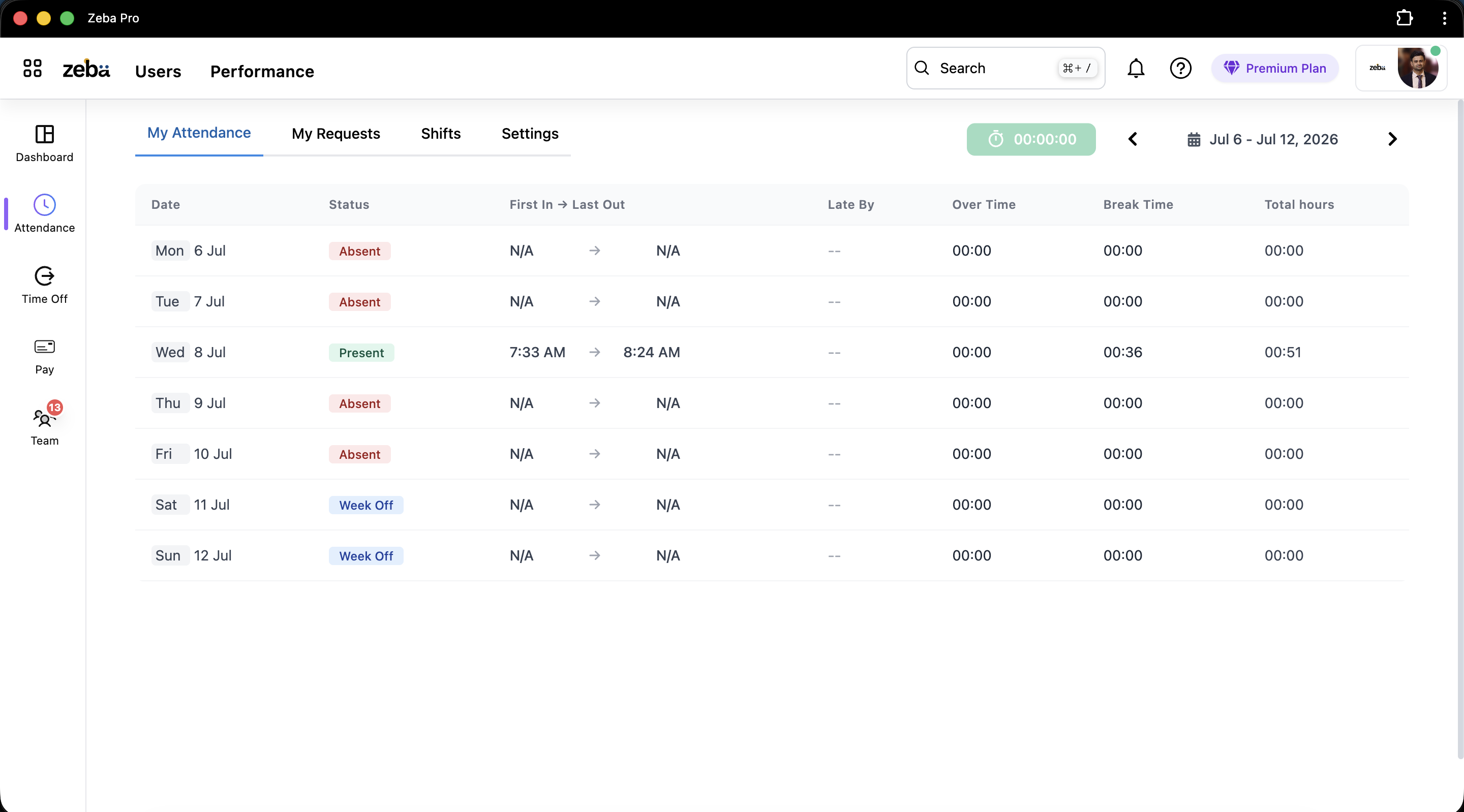
Whether you are tracking employee attendance, monitoring working hours, or preparing payroll data, knowing the strengths and weaknesses of attendance sheets in Excel can help you choose the right method for your organization.
What Are Attendance Sheets in Excel?
An attendance sheet in Excel is a spreadsheet used to record employee presence, absence, working hours, shifts, and leave information. Many organizations use Excel templates because they offer flexibility and can be tailored to meet business needs.
Once the sheet stops scaling, the next step is an attendance management system that records punches, shifts and leave without manual consolidation.
HR teams often use attendance sheets to calculate working days, track absenteeism, and assist with payroll processing. While spreadsheets are effective for smaller teams, larger organizations may find manual tracking time-consuming and prone to mistakes.
Attendance data plays a much bigger role than simply recording employee presence. It directly impacts payroll calculations, leave balances, productivity reporting, and workforce planning. When attendance records are inaccurate or incomplete, businesses may face salary disputes, reporting errors, and additional administrative work.
Many organizations begin with Excel because it is familiar and easy to use. However, as employee numbers increase, maintaining accurate attendance records across departments, shifts, and locations often becomes more difficult. This is where structured attendance management processes become increasingly important.
Why Businesses Use Attendance Sheets in Excel
Excel is still a commonly used tool for tracking attendance because it is accessible and familiar to most businesses.
- Low cost: No specialized software is needed.
- Easy setup: Templates can be created quickly.
- Customizable: Businesses can add columns and formulas as they see fit.
- Flexible reporting: Attendance data can be organized in various formats.
- Simple record keeping: Suitable for small teams with basic needs.
Common Challenges of Managing Attendance in Excel
Even though Excel spreadsheets are useful, they often bring operational challenges as businesses grow.
1. Manual Data Entry Errors
Attendance records depend heavily on manual updates. Even a small error can impact payroll calculations and employee records.
2. Limited Real-Time Visibility
Managers often find it hard to access attendance information quickly when records are scattered across multiple spreadsheets.
3. Difficult Leave Tracking
Attendance and leave information are usually kept separately, making it hard to verify employee balances accurately.
4. Payroll Inconsistencies
Incorrect attendance data can directly affect salary calculations. Connecting attendance records with payroll automation can help minimize such risks.
5. Version Control Problems
When multiple people update the same attendance sheet, businesses may face duplicate files, outdated records, and data inconsistencies.
Attendance Sheets in Excel vs Attendance Tracking Software
| Area | Excel Attendance Sheet | Attendance Tracking Software |
|---|---|---|
| Data Entry | Manual updates | Automated records |
| Accuracy | Higher error risk | Improved accuracy |
| Visibility | Limited reporting | Real-time dashboards |
| Payroll Integration | Manual calculations | Connected workflows |
When Excel Works Well
Excel attendance sheets can still be useful for certain businesses.
- 1. Small teams with a limited number of employees.
- 2. Organizations with basic attendance policies.
- 3. Businesses that do not need real-time tracking.
- 4. Companies with minimal reporting needs.
For startups and very small teams, spreadsheets may provide sufficient functionality without requiring extra systems.
When Businesses Should Consider Automation
As the number of employees increases, attendance management becomes more complex. Businesses often need features like automated attendance capture, approval workflows, leave integration, and payroll synchronization.
Using an attendance tracking system allows organizations to centralize records and cut down on manual effort. When combined with leave management, attendance data becomes more reliable and easier to check.
Organizations with field teams may also gain from employee tracking capabilities, providing better visibility into workforce activity and attendance patterns.
Another benefit of modern attendance systems is improved reporting. Managers can quickly identify attendance trends, monitor absenteeism, and make informed workforce decisions using real-time data. This level of visibility is difficult to achieve when attendance information is spread across multiple spreadsheets.
By connecting attendance records with leave requests, payroll workflows, and employee profiles, businesses can create a more reliable HR process. This reduces manual effort, improves compliance, and helps HR teams spend less time correcting records and more time supporting employees.
Best Practices for Using Attendance Sheets in Excel
- 1. Create a standardized attendance template.
- 2. Use formulas to minimize manual calculations.
- 3. Update attendance records daily.
- 4. Review data before payroll processing.
- 5. Keep secure backups of attendance files.
Following these practices can help reduce mistakes and enhance reporting accuracy while using Excel for attendance management.
How Modern HR Systems Improve Attendance Management
Modern HR platforms combine attendance, leave, payroll, and employee information into one system. This removes the need for duplicate data entry and boosts operational efficiency.
Features like automated attendance records, role-based access through user management, and payroll integration help HR teams spend less time on administrative tasks and focus more on supporting employees.
Conclusion
Attendance sheets in Excel remain helpful for many businesses, especially smaller ones with straightforward attendance needs. However, as teams expand, manual attendance management can become hard to maintain.
Businesses aiming to improve accuracy, lessen administrative workload, and streamline payroll processes often benefit from integrating attendance tracking, leave management, payroll automation, and employee management into a single HR system.
Save 5 Hours This Week Instantly
Zeba brings payroll, attendance, and HR workflows together so you spend less time on admin and more time leading your team.

Co-founder at Zeba with 12+ years building scalable, secure products across web, mobile, cloud, AI, IoT, and DevOps for modern teams.
Published June 10, 2026


